
Google Workspace Setup for Business: Complete Migration & Security Guide
 av Ikram Ayoub
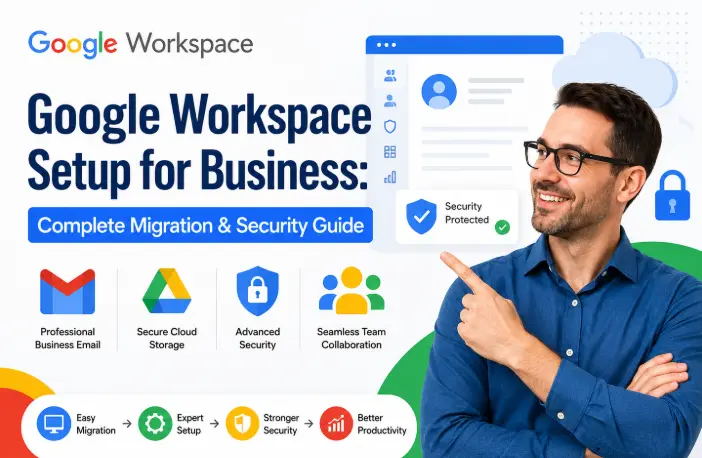
Move your business from personal Gmail to a secure, professional Google Workspace environment. AB Media Team manages your domain verification, DNS records, security controls, and file organization for just € 2.99 —giving you all essential business tools without the high cost of standard commercial plans.
Google Workspace Setup for Business: The Complete Migration & Security Guide
Who Is This Guide For?
This guide is for businesses that want to move from personal Gmail accounts or unmanaged email systems to a professional Google Workspace environment.
Whether you are setting up Google Workspace for the first time or improving an existing setup, the process requires more than creating email accounts. A secure configuration includes domain verification, DNS setup, user management, security controls, file organization, and proper permissions.
A correctly configured workspace helps your business:
- Use professional email addresses with your own domain
- Protect company data
- Improve team collaboration
- Manage employees and permissions from one place
- Keep business files organized and accessible
AB Media Team helps businesses configure Google Workspace correctly from day one, handling the technical setup so your team can focus on running the business.
Why Personal Email Accounts Risk Your Business Growth
Many businesses start with free Gmail accounts because they are simple and convenient. However, as your company grows, personal accounts create critical risks.
- Professional Business Identity: Instead of using
yourcompany123@gmail.com, your team uses professional email addresses likename@yourcompany.com. This builds immediate trust with customers and creates a stronger market presence. - Complete Account Control: With a properly configured environment, your company manages user accounts, access permissions, and security settings. When an employee leaves, your business retains full control of important emails, documents, and corporate data.
- Company-Owned File Management: Business files should belong to the organization, not individual employees. With Google Drive and Shared Drives, your team can organize documents, control access, and ensure important files remain available.
- Better Security Management: Administrators can configure two-step verification, password policies, user permissions, device access controls, and application permissions to protect company data.
Why Should You Choose Google Workspace for Your Business?
Google Workspace provides a complete cloud-based productivity environment that allows teams to communicate, collaborate, and manage daily operations from one centralized platform.
Your team can use:
- Gmail for professional email
- Google Drive for secure file storage
- Docs, Sheets, and Slides for collaboration
- Google Meet for online meetings
- Google Chat for team communication
- Google Calendar for scheduling
Administrators can manage users, permissions, security settings, and access controls through the Google Admin Console.
Core Google Workspace Apps Every Business Needs
Google Workspace is not just email. It is a complete business operating system. Here are the core apps and how they work together for your business.
- Gmail – Your business email with a professional domain. In Workspace, Gmail comes with AI-powered smart compose and reply suggestions, email scheduling, delegation for assistants, and integration with Chat and Meet directly in your inbox. Set up filters, labels, and signatures to match your workflow.
- Google Drive – Cloud storage that syncs seamlessly between your computer and the web. The desktop app works intelligently – it stores frequently used files locally and keeps everything else in the cloud, downloading on demand. On Business Standard and above, you get Shared Drives where the company owns the files, not individual users. This is critical for protecting your data when contractors or staff leave.
- Google Docs, Sheets, and Slides – Real-time collaborative documents that multiple people can edit simultaneously. Every document keeps a full revision history showing every change, so you can always roll back if something goes wrong. The “Suggesting” mode lets collaborators propose changes without overwriting the original, giving you the authority to approve or deny each edit.
- Google Meet – Video conferencing built into Calendar. Every meeting automatically gets a Meet link. On Business Standard, you can record meetings and Google will both transcribe and save the video to your Drive automatically. Features include live polls, Q&A, emoji reactions, live captions, and even translated captions across languages.
- Google Chat – Team messaging with threaded conversations. Organise Spaces by department, project, or topic. Unlike consumer messaging apps, Chat integrates with Drive, Docs, and Meet – so you can share files, start calls, and assign tasks without leaving the conversation.
- Google Calendar – Scheduling with resource booking, working hours, and automatic meeting links. Share calendars across your team so everyone can see availability without back-and-forth emails.
- Admin Console – The management hub that makes Workspace a business tool rather than a consumer product. From here you control users, set security policies, manage Chrome browser policies for anyone connecting to your business resources, configure mobile device management, and enforce two-factor authentication across your entire organisation.
Choosing the Right Option for Your Business
When setting up a professional environment for your company, several choices are available depending on your budget and needs:
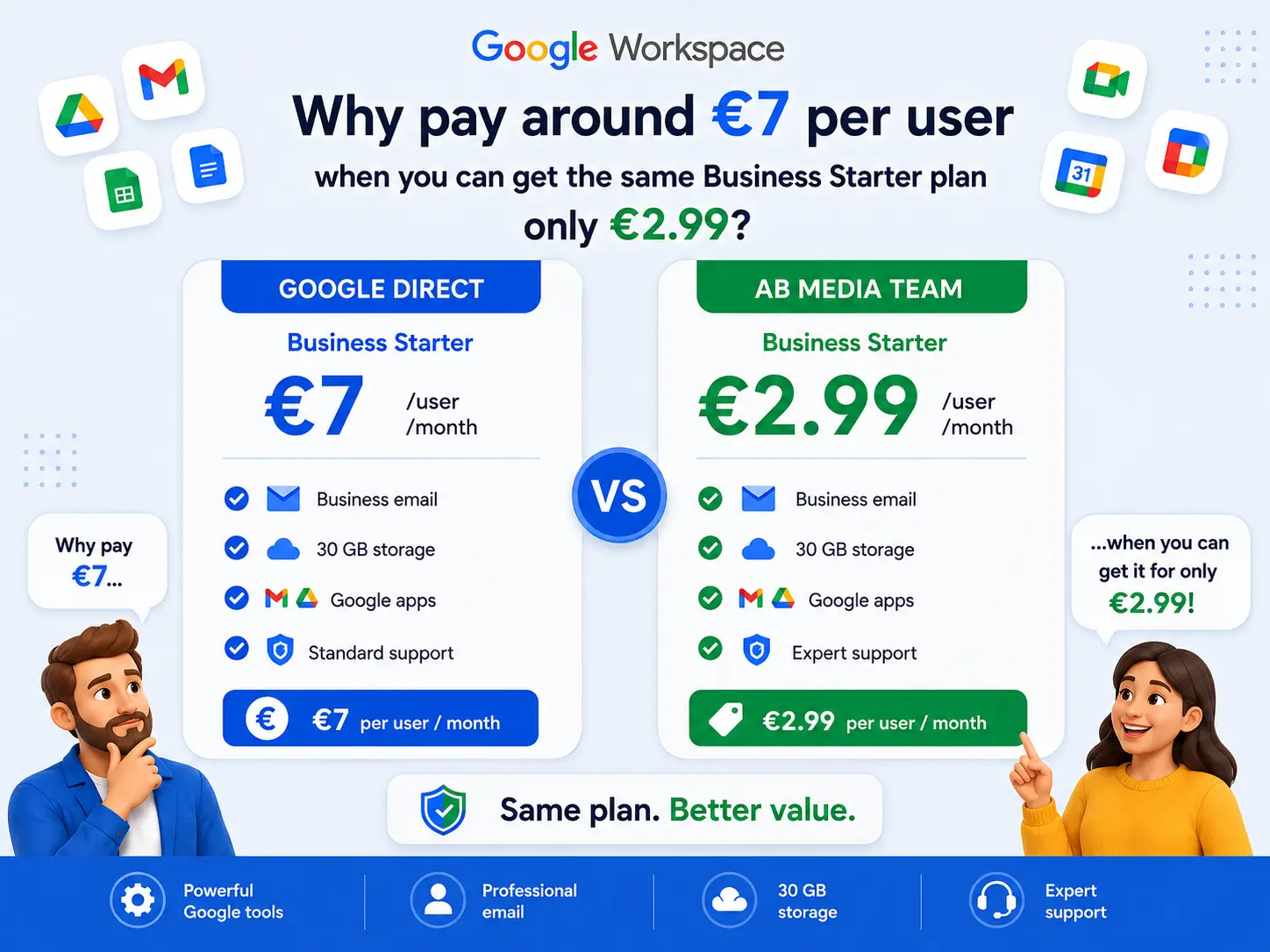
- Google's Direct Starter Plan: Standard commercial options from Google cost around €7 per user per month. This is an option to consider if you specifically need purely commercial add-ons managed directly by Google.
- The AB Media Team Solution: For businesses looking for maximum efficiency at the best possible cost, AB Media Team offers a specialized setup for just € 2.99. While our offer provides an optimized feature set compared to the € 7 paid tier, everything a growing business truly needs is fully included.
Here are precisely the applications and professional tools included in our service:
Core Features Your Business Needs (All Fully Included in Our Service)
When you choose AB Media Team to set up your professional digital workspace for just € 2.99 you aren't missing out on the tools that matter. While Google's direct commercial starter plans cost around €7 per user per month, our service is expertly configured to give your business every essential operational feature you actually need.
Here is a focused look at the core features included in our setup that directly drive your business growth, security, and daily efficiency:
1. Professional Business Email (@yourcompany.com)
Stop using @gmail.com addresses that look amateurish to clients.
- Custom Domain Identity: Build instant brand trust with professional email addresses for every staff member.
- Smart Compose & Reply: Speed up your team's communication with Google's built-in AI writing suggestions.
- Smart Organization: Keep inboxes tidy using advanced filters, custom labels, and professional email signatures.
- Shared Department Inboxes: Easily set up shared addresses like
info@,support@, orsales@so multiple team members can manage customer inquiries without paying for extra licenses.
2. Secure Cloud Storage & Organization-Owned Data
Data loss is one of the biggest risks growing businesses face. Our setup ensures your files are fully protected and centralized:
- Cloud Storage & Desktop Sync: Seamlessly sync files between your computer and the cloud. The desktop app stores frequently used files locally while pulling others on-demand so your hard drives never fill up.
- Company-Owned Shared Drives: Unlike personal accounts where employees take files with them when they leave, Shared Drives ensure all corporate documents permanently belong to the business.
- Granular Permissions: Control who can view, edit, or contribute, keeping your critical business documents safe from accidental deletion.
3. Real-Time Team Collaboration Suite
Keep your team coordinated whether they are sitting in the same office or working remotely:
- Docs, Sheets, and Slides: Multiple team members can work on the exact same document, spreadsheet, or presentation simultaneously.
- Full Revision History: Never lose an important change. Every document tracks a complete history so you can roll back errors instantly.
- “Suggesting” Mode: Review and approve or deny edits made by staff or contractors before they permanently overwrite your original work.
4. High-Performance Video Meetings & Team Communication
- Integrated Google Meet: Launch high-quality video conferences directly from your calendar invitations. Enjoy live captions, interactive Q&A, polls, and emoji reactions.
- Organized Google Chat: Move away from chaotic consumer chat apps. Organize conversations into dedicated "Spaces" by department, project, or topic, with direct integration into your documents and meetings.
- Centralized Calendar: Manage team availability, resource booking, and working hours without endless back-and-forth emails.
5. Centralized Admin Console & Enterprise Security
Even though you save money compared to standard $7 monthly tiers, your business receives a locked-down, enterprise-grade security structure:
- Enforced Two-Step Verification (2FA): Protect your business from unauthorized access by mandating authenticator apps and security keys for all staff.
- Robust Password Policies: Enforce minimum character lengths and prevent password reuse across your organization.
- API & Third-Party App Control: Block unvetted external apps from connecting to your corporate data, keeping your digital environment secure.
Our Google Workspace Setup Process
- Step 1: Domain Verification: We connect your business domain with Google Workspace and verify ownership securely through DNS records.
- Step 2: DNS Configuration: We configure MX records for email delivery, SPF records for email protection, DKIM authentication, and DMARC policies to improve email reliability and eliminate spam issues.
- Step 3: User Account Setup: We create and configure employee accounts, professional email addresses, user permissions, and initial security settings.
- Step 4: Security Configuration: We enforce two-factor authentication, set up robust password policies, apply access controls, and configure device protection settings.
- Step 5: Drive Organization: We structure your company files with Shared Drives, logical folder hierarchies, and granular permission settings to prevent future file management issues.
AB Media Team manages the entire technical setup so your business can start using Google Workspace correctly from day one
Common Setup Mistakes to Avoid
- Skipping DKIM and DMARC: Configuring only basic records leaves your domain vulnerable to spoofing and increases spam complaints.
- Using My Drive for Team Files: Storing collaborative company files in individual folders creates data silos and risks permanent deletion when staff leave.
- Delaying 2FA Enforcement: Allowing users to log in without two-factor authentication leaves administrative and financial communications exposed.
- Adding Individuals to Shared Folders: Managing permissions user-by-user instead of leveraging centralized groups makes staff changes a nightmare.
To take things further, discover lesser-known Google Workspace features that can save your team time on a daily basis.
FAQ ❓
Will my business lose any incoming emails during the Google Workspace setup?
No. AB MEDIA TEAM executes migrations in the background using dual-delivery and staging strategies. Your team will continue sending and receiving emails without any downtime.
Why are my business emails landing in client spam folders?
This usually happens due to missing or incorrect SPF, DKIM, or DMARC records in your DNS domain settings. Setting up proper authentication proves to receiving servers that your email is legitimate.
Can we set up shared department emails like info@ without paying extra licenses?
Yes! We configure Google Workspace email aliases and group routing rules, allowing your team to send and receive messages from shared addresses without purchasing additional individual user licenses.
Do I need technical skills to set up Google Workspace myself?
If you're comfortable following step-by-step instructions, yes — the trickiest part is the DNS records (MX and SPF especially). If DNS feels daunting, it's worth having someone experienced handle it, since incorrect configuration is the single most common reason business email ends up in spam.
What's the real difference between a free Gmail account and Google Workspace?
business email address on your own domain, a centralized admin console, stronger security controls, larger storage, and — critically — legal ownership of all company data rather than the individual account holder.
Do I have to set everything up myself?
No. If you prefer not to deal with technical configuration, AB Media Team can handle the setup and configuration process for your business.
Build a More Professional Digital Workplace With AB Media Team
Your business deserves more than a collection of personal email accounts and disconnected tools.
With the right setup, your team can communicate professionally, collaborate more efficiently, organize files more effectively, and manage access from a centralized environment. AB Media Team helps businesses set up and configure their digital suites according to operational needs, handling the technical details so you can start with a professional foundation.
Ready to create a better digital workspace for your business? Contact AB Media Team today to discuss your setup and let our team handle the technical configuration for you.